

Google’s Android update addresses motion sickness, enhances accessibility, and introduces additional features.
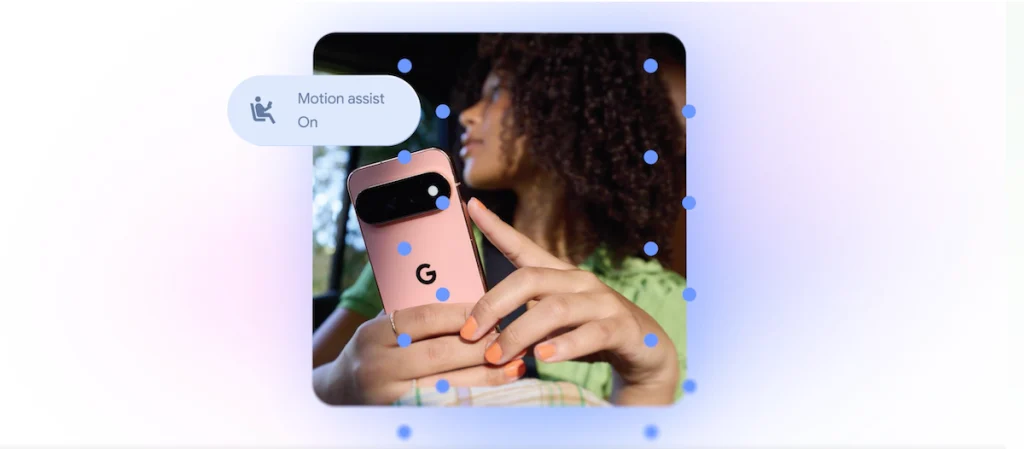
Image Credits:Google
Google Unveils Five New Android Updates for Enhanced Accessibility and Personalization
On Tuesday, Google unveiled an exciting array of five updates aimed at making Android smartphones more accessible, useful, and personalized. These new features, outlined in a recent blog post, seek to address various user needs, including reducing motion sickness, assisting blind and low-vision individuals in navigation, helping users remember the locations of important items, and enhancing personalization within Google Messages.
While several of these features appear to bring Google in line with similar offerings from Apple, the tech giant is also leveraging its advancements with Gemini to introduce unique enhancements.
Motion Assist: A Solution for Motion Sickness
Arguably the standout update is “Motion Assist,” a feature designed for users who struggle with motion sickness when using their phones in transit. This innovative tool introduces a bubble overlay that dynamically adjusts to the movement of the vehicle. By aligning what users see on their screens with how their bodies feel, Motion Assist aims to reduce discomfort.
This concept isn’t entirely new; Apple released its “Vehicle Motion Cues” feature in 2024, which utilizes animated dots around the screen’s edges to indicate vehicle motion. However, Google’s Motion Assist offers additional customization options, allowing users to set it to activate automatically, add it to their Quick Settings, and adjust the bubble’s shape, color, and transparency. Compatible with Android 17 users, this feature aims to foster a more comfortable experience.
Guided Vision: Empowering Blind and Low-Vision Users
Google is also rolling out “Guided Vision,” a dedicated feature for users who are blind or have low vision. This tool integrates the phone’s camera with Gemini to facilitate a range of tasks, such as reading small print on food labels, viewing menus in dimly lit restaurants, and identifying everyday objects.
Guided Vision goes a step further by providing voice instructions if the camera isn’t correctly positioned. It prompts users to adjust their phone’s angle or move it around to capture the desired object or scene. This feature will be available on devices running Android 9 or newer in regions where Gemini functionality is offered.
Remembered Items: Keeping Track of Essentials
Another noteworthy enhancement comes through a new section in Find Hub that utilizes Gemini to assist users in keeping track of important items. Users can inform Gemini of the locations of their belongings, such as stating that a passport is stored in a bedroom drawer. This information is then saved within the Find Hub for easy retrieval. To make identifying items more straightforward, users can even attach photos, transforming the task of finding belongings into a hassle-free experience.
Google Keep Integration: Streamlining Communication
In addition to the aforementioned features, Google is enhancing Google Messages to better serve its users. A new integration with Google Keep enables users to share and edit grocery lists, vacation itineraries, and other notes directly within their messaging conversations. This feature is set to transform how users communicate essential information, making it simpler and more efficient.
Enhanced Personalization Options in Google Messages
Beyond functionality, Google is also focusing on personalization within Google Messages. Users will have the ability to customize individual chat backgrounds, incorporating personal photos and colors that suit their style. The application will automatically match text bubbles to the chosen background, offering a cohesive user experience.
While Apple introduced a similar customization feature in Messages last year, Google’s enhancements cater to individual preferences and allow for the creation of more personalized conversations.
Conclusion
Google’s recent announcement of five new features for Android devices signifies a major step toward making smartphones more user-friendly and accessible. From addressing motion sickness with Motion Assist to empowering blind and low-vision users through Guided Vision, these updates represent significant advancements in mobile technology.
Moreover, the integration of Google Keep into Messages and the new personalization options highlight Google’s commitment to providing a tailored user experience. By continually innovating and drawing on the capabilities of Gemini, Google is not only enhancing existing features but also creating a dynamic platform that meets the evolving needs of its users.
As Android continues to roll out these updates, users can look forward to more accessible, personalized, and efficient smartphone experiences tailored to individual needs.
Thanks for reading. Please let us know your thoughts and ideas in the comment section down below.
Source link
#Googles #Android #update #tackles #motion #sickness #accessibility
About The Author