

OpenAI Unveils Powerful New AI Model: GPT Image 1.5
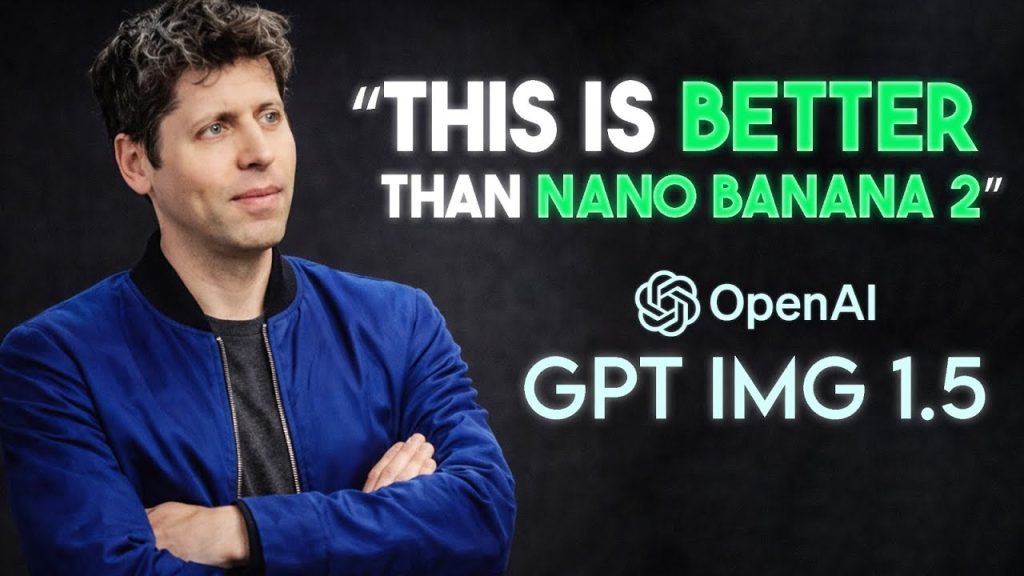
Introduction to GPT Image 1.5
OpenAI has introduced the latest update to its image generation capabilities with GPT Image 1.5 inside ChatGPT. At first glance, the updates may appear similar to previous versions—such as improvements in prompt accuracy, cleaner edits, and faster image generation. However, a deeper examination reveals that this release signifies a fundamental shift in how image generation operates.
Enhanced Editing Precision
One of the most notable enhancements in GPT Image 1.5 is its editing precision. Unlike previous versions, which often led to unintended distortions with successive edits, this new model follows instructions with a remarkable level of accuracy. When users request specific changes, the model applies those changes while preserving the integrity of the original image.
For instance, the lighting remains consistent, the composition is retained, and the faces remain recognizable, even after several edits. This consistency is critical for professionals and creatives who often faced the frustrating need to start over after a few adjustments. The groundwork has been laid for a more reliable creative tool.
Increased Speed and Workflow Efficiency
Another key improvement is the speed of image generation. With GPT Image 1.5, image generation runs up to four times faster than its predecessors. More importantly, users no longer face delays; they can continue generating and iterating while other images process in the background. This enhancement transforms the creative workflow, allowing a more seamless and uninterrupted experience.
Designers and creatives can experiment with ideas rapidly without the constant pause of waiting for images to render. OpenAI has clearly structured the new image experience to support this fluid workflow.
User-Friendly Interface and Features
The new image capabilities come with an upgraded interface that enhances usability. There’s now a dedicated images section in the sidebar for easier visual exploration, available on both web and mobile platforms. The refined editing tools allow users to add or remove elements, blend different concepts, and shift styles without compromising the overall quality of the image.
For those who prefer starting with templates, the inclusion of preset styles and trending prompts simplifies the process, making it accessible even for users who aren’t well-versed in crafting detailed prompts.
Advanced Editing with Image 1.5
GPT Image 1.5 has significantly improved its editing functionality. Users can achieve complex edits that were previously beyond the capabilities of earlier models. For example, a scenario may illustrate a person and a dog in a retro-film style photo with additional chaotic elements, such as children in the background. Incredible transformations can occur; one subject might be styled as hand-drawn anime while others remain realistic, and the environment stays consistent even if specific elements are entirely removed.
This creative potential extends far beyond simple filters—it has evolved into tools capable of restructuring layouts and integrating text seamlessly into images. The model generates a cohesive output, making it a worthy alternative to traditional design tools like Photoshop or Canva.
Addressing Text Rendering Challenges
Text rendering capabilities have also seen substantial improvements. Complex structures, small font sizes, and markdown are now rendered more reliably. This change is vital for various applications like infographics, marketing materials, and user interface mock-ups. Previous iterations of the model struggled to produce readable text, but the latest version yields acceptable quality for practical use.
OpenAI has been transparent about the persistent limitations; while the model has shown improvement in many areas, certain challenges remain, particularly in handling multilingual text and scientific illustrations.
Commercial Applications and Pricing
The GPT Image 1.5 model is set to be made available to developers, with improvements in both image inputs and outputs. Notably, the pricing structure has become around 20% cheaper, inviting high-volume commercial applications. This marked pricing strategy hints at an intent to integrate this technology into creative platforms like Wix, Canva, and Figma Weave.
Wix has highlighted the model’s consistency in terms of lighting and composition, establishing it as an asset for real production workflows rather than merely a conceptual tool. This transition signals a shift towards commercial viability and a broader adoption in various industries.
OpenAI’s Strategic Growth and Partnerships
Along with the technical improvements, OpenAI has made significant adjustments to its business operations, including a restructuring of its relationship with Microsoft. This opens avenues to collaborate with other infrastructure providers.
The company has committed to an astounding $38 billion over seven years to rent servers from Amazon, which includes expansive plans for infrastructure development. In a potential agreement, Amazon may invest over $10 billion in OpenAI, a move that could elevate the company’s valuation significantly.
OpenAI’s partnerships reflected in infrastructure deals with NVIDIA, Oracle, AMD, and Broadcom further solidify its standing in the AI market. These long-term commitments are critical for the scalability required for upcoming models and applications.
Research and Development Perspectives
OpenAI maintains transparency regarding its model capabilities and limitations. The recently released Frontier Science benchmark evaluates scientific reasoning across various disciplines. The results illuminate the effectiveness of models like GPT 5.2 in competitive style problems, while highlighting a performance drop in open-ended research tasks.
This distinction underscores the gap between structured problem-solving and authentic scientific inquiry. OpenAI aims to amplify human productivity without misrepresenting its models as autonomous intelligence. The AI tools are designed to support human workflows, enhancing creative processes and research efficiency.
Conclusion: Navigating the Future of AI
The release of GPT Image 1.5 encapsulates a noteworthy evolution in image generation technology. With improved precision, speed, and editing capabilities, it stands out as a transformative tool for creatives and businesses alike. As OpenAI continues to forge partnerships and adapt its operational strategies, the implications of these advancements pave the way for a more integrated AI future.
The acceleration of the model’s launch suggests an ongoing competitive landscape, one where adaptability and responsiveness will determine success. As visual storytelling becomes increasingly integral, GPT Image 1.5 promises to blend creativity with efficiency, aligning with OpenAI’s vision of enhancing human productivity while avoiding the pitfalls of over-promising on automation.
What do you think of these advancements? Share your thoughts and experiences in the comments!
#OpenAI #Dropped #Beast #GPT #Image
Thanks for reaching. Please let us know your thoughts and ideas in the comment section.
Source link
About The Author

👉 Join the waitlist for the 2026 AI Playbook https://tinyurl.com/AI-Playbook-2026
Wow😮
First again #NicetoobeNice ❤
🎉
Why do I just see a blank screen?
every other reviewer says nano banana pro is far better than GPT image 1.5
NanoBanana is still better than GPT Image 1.5
I asked GI1.5 to do one simple request for me and it went off tangent, wasting me 30 minutes of productivity time.
I asked the exact same request to Nano Banana and it did it in one take.
It's not better than Gemini – on my first test with GPT image it produced gibberish text – I then tried to fix it with 'Select area' tool but GPT got confused and asked me 'where the image is' – they will probably fix it but it's buggy
enough click bait pls
This is great cause I use Suno to make songs for my YouTube channel but I use other apps like ChatGPT and Gemini to make cover photos
Its better at transposing faces and making some edits but utterly fails at continued edits and horns
it’s not better. I asked image 1.5 to generate a diagram for a stellarator reactor & compared it to nano banana pro’s… Its output is inferior to that of nano banana pro after I asked Claude Opus 4.5 to compare the two. It also has more spelling mistakes than Nano Banana Pro.
ChatGPT 5.2 Heavy thinking, I gave it a strict unambiguous hierarchy and asked to represent it as an infographic. It made about 5 mistakes (which it correctly identified in a later question). If that's better than Nano Banana, Nano Banana must really suck.